
Enhance Google+ Writing with Smart Extensions
Overview
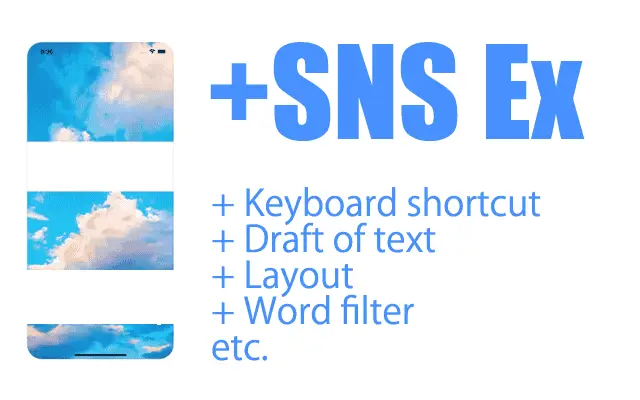
The Google+ Writing Enhancer is a browser extension designed to streamline content creation on Google+. Its primary function is to improve the efficiency and reliability of posting by automating key actions during the writing process. The tool enables users to save draft text automatically, reducing the risk of losing work during long posts.
It also supports quick posting via keyboard shortcuts—Shift + Enter or Ctrl + Enter—allowing users to publish content without navigating through menus. Additionally, the extension records when a post receives a +1, providing a simple way to track engagement. These features are particularly useful for individuals managing multiple social media accounts or creating consistent content for professional or personal networks.
While the developer’s background is not publicly available, the extension appears to be tailored for professionals and content creators who rely on Google+ for outreach, community engagement, and brand visibility. Its functionality is best suited for users who frequently write and publish on the platform, especially those seeking faster workflows and better post tracking. Given its lightweight nature and compatibility with major operating systems, it serves as a practical utility for anyone looking to optimize their Google+ experience.
Key Features & Capabilities
- Automatic Text Saving – Drafts are saved in real time, preventing data loss during extended writing sessions.
- Keyboard Shortcut Posting – Publish posts instantly using Shift + Enter or Ctrl + Enter, minimizing workflow interruptions.
- +1 Engagement Tracking – The extension logs when a post receives a +1, offering a basic metric for post performance.
- External Gadget Support – Integrates with third-party gadgets on external websites, enabling broader content distribution.
- Lightweight Design – At just 1.2 MB, the extension imposes minimal impact on browser performance.
These features are ideal for users who write lengthy posts or manage multiple updates daily. For example, a social media manager can draft a detailed article, save it automatically, and publish it with a single key combination. Similarly, a community moderator can monitor engagement by tracking +1s in real time. The external gadget integration allows for embedding content across platforms, enhancing visibility. While no advanced analytics are included, the tool provides foundational functionality that supports consistent and efficient content publishing.
User Interface, Workflow & Performance
The extension operates entirely within the browser environment, with no standalone desktop interface. Users interact with it through the Google+ posting interface, where its features are triggered automatically or via keyboard input. Navigation remains intuitive, as the tool does not alter the core layout of the platform. The workflow is streamlined: write, save, publish—each step supported by the extension’s automation.
Performance details were not specified by the developer. However, given its small size of 1.2 MB and focus on basic automation, it is expected to function smoothly across modern browsers. The extension does not appear to consume significant system resources, suggesting stable operation even during extended use.
No reports of crashes or instability were provided. The developer did not specify resource usage details, so actual CPU or RAM behavior remains unknown. Overall, the tool appears designed for reliability and minimal interference with the user’s browsing experience.
Compatibility & System Requirements
The extension is compatible with Windows, Mac, and Linux operating systems, making it accessible to a broad user base. It functions as a browser-based tool, meaning it runs within supported web browsers such as Chrome, Firefox, or Edge. The installation size is 1.2 MB, indicating a minimal footprint on disk space. The software version is 1.0, suggesting it is a stable initial release.
Exact system requirements were not listed. Compatibility with specific browser versions or hardware configurations is not confirmed. The developer did not provide additional system requirements. Users should ensure their browser is up to date and supports Chrome Web Store extensions to use the tool effectively. Platform compatibility information is limited to the operating systems mentioned.
Pros and Cons
Pros
- Automatic text saving prevents loss of drafts during long posts.
- Keyboard shortcuts enable fast, seamless publishing.
- Tracks +1 engagement for basic post performance monitoring.
- Supports external gadgets for wider content reach.
- Small file size ensures minimal impact on system resources.
Cons
- No advanced analytics or reporting features included.
- Functionality is limited to Google+ platform only.
- Developer information is not publicly available.
- Compatibility with older browsers is unconfirmed.
- Updates and future development are not documented.
FAQ Section
Is this extension compatible with all browsers?
The extension is designed for browsers that support Chrome Web Store extensions. Compatibility with specific versions is not confirmed by the developer.
Is the software safe to use?
As a browser extension from the Chrome Web Store, it is subject to Google’s security review. However, users should only install extensions from trusted sources.
Does it require an internet connection?
Yes, the extension requires an active internet connection to function, as it operates within the Google+ platform.
Can I use it offline?
No, the tool cannot be used offline since it relies on Google+ and browser-based functionality.
What type of license does it have?
The extension is available at no cost, with no licensing restrictions mentioned.
Final Thoughts + CTA
The Google+ Writing Enhancer delivers a focused set of productivity improvements tailored for users who regularly publish content on Google+. Its ability to save drafts automatically, enable quick posting via keyboard shortcuts, and track engagement makes it a valuable addition to any social media workflow. While it lacks advanced features and long-term development visibility, its lightweight design and straightforward functionality remain relevant for its intended purpose. For content creators, community managers, and professionals relying on Google+, this tool offers a practical way to enhance efficiency and reduce manual effort. Although Google+ is no longer active, the extension remains a functional utility for those still using the platform.
Download Google+ Writing Enhancer now







